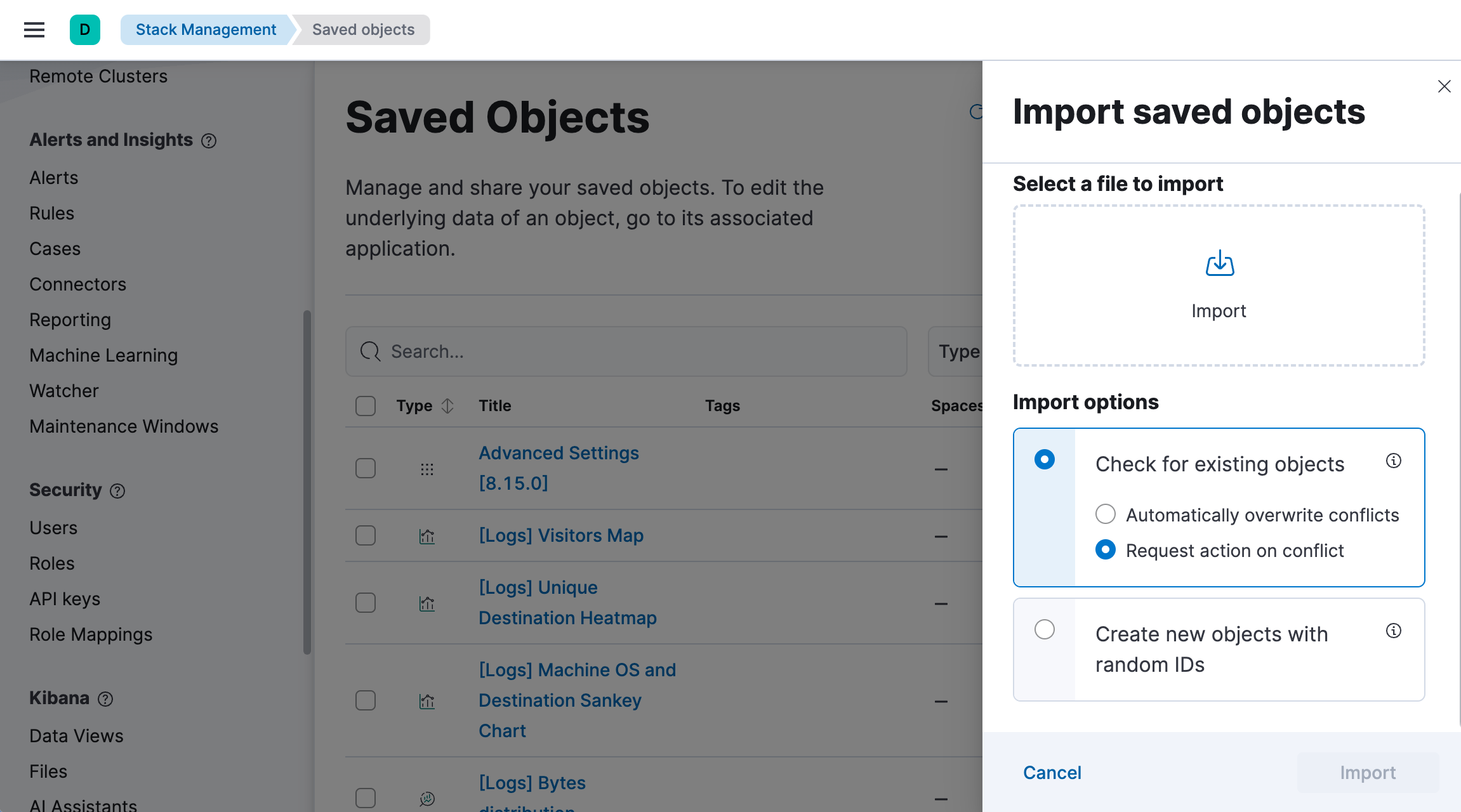
Import a dashboard
Import dashboards into Kibana from NDJSON files exported from other Kibana instances or spaces. When you import a dashboard, you also import its related objects such as data views and visualizations, making it easy to migrate dashboards between environments or share them with other teams.
To import dashboards, you need:
- All privilege for the Dashboard and Saved Objects Management features in Kibana
- An NDJSON file containing the dashboard and its related objects
- Access to Stack Management in Kibana
You can import dashboards from the Saved Objects page under Stack Management.
When importing dashboards, you also import their related objects, such as data views and visualizations. Import options allow you to define how the import should behave with these related objects:
- Check for existing objects: When selected, objects are not imported when another object with the same ID already exists in this space or cluster. For example, if you import a dashboard that uses a data view which already exists, the data view is not imported and the dashboard uses the existing data view instead. You can also chose to select manually which of the imported or the existing objects are kept by selecting Request action on conflict.
- Create new objects with random IDs: All related objects are imported and are assigned a new ID to avoid conflicts.