Duplicate a dashboard
Create a copy of an existing dashboard in Kibana to customize it independently without affecting the original. This is particularly useful when you want to create variations of a dashboard for different teams or use cases, or when you need to edit a managed dashboard that comes from an integration.
To duplicate a dashboard, you need:
- All privilege for the Dashboard feature in Kibana
- Open the dashboard you want to duplicate.
- Exit the edit mode, and click Duplicate in the toolbar.
- In the Duplicate dashboard window, enter a title and optional description and tags.
- Click Save.
You will be redirected to the duplicated dashboard.
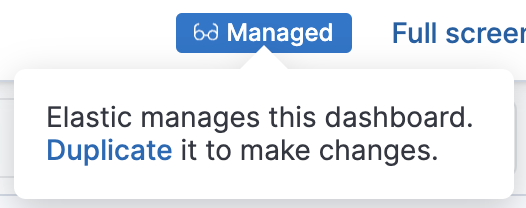
To duplicate a managed dashboard, follow the instructions above or click the Managed badge in the toolbar. Then click Duplicate in the dialog that appears.